General Announcements
- D2L is continuing to unlist outdated Brightspace Tutorial videos that no longer reflect the current interface and workflows. Updated tutorial videos are embedded in the documentation to align with the latest features. To review the list of added, unlisted, and removed videos, refer to the article: Brightspace Tutorial Video Updates: Added, Unlisted, Removed.
Assignments – Streamlined group assignments creation workflow | Updated
With this release, the experience for creating group assignments is enhanced. This update streamlines the group assignment workflow in Avenue to Learn by consolidating functionality in the new assignment creation page.
Group assignments are now best supported in the new assignment creation page, which offers a modern workflow and access to upcoming enhancements.
A Group Assignments workflow dropdown now appears in the legacy assignment creation page, directing users to the new experience.
Once Group Assignments have been created in the New Assignment Creation page, users are redirected to the Manage Groups page.
The legacy assignment creation page is scheduled for retirement in Brightspace version July 2027 / 20.27.07. Administrators are encouraged to adopt the new experience for optimal functionality and future support.
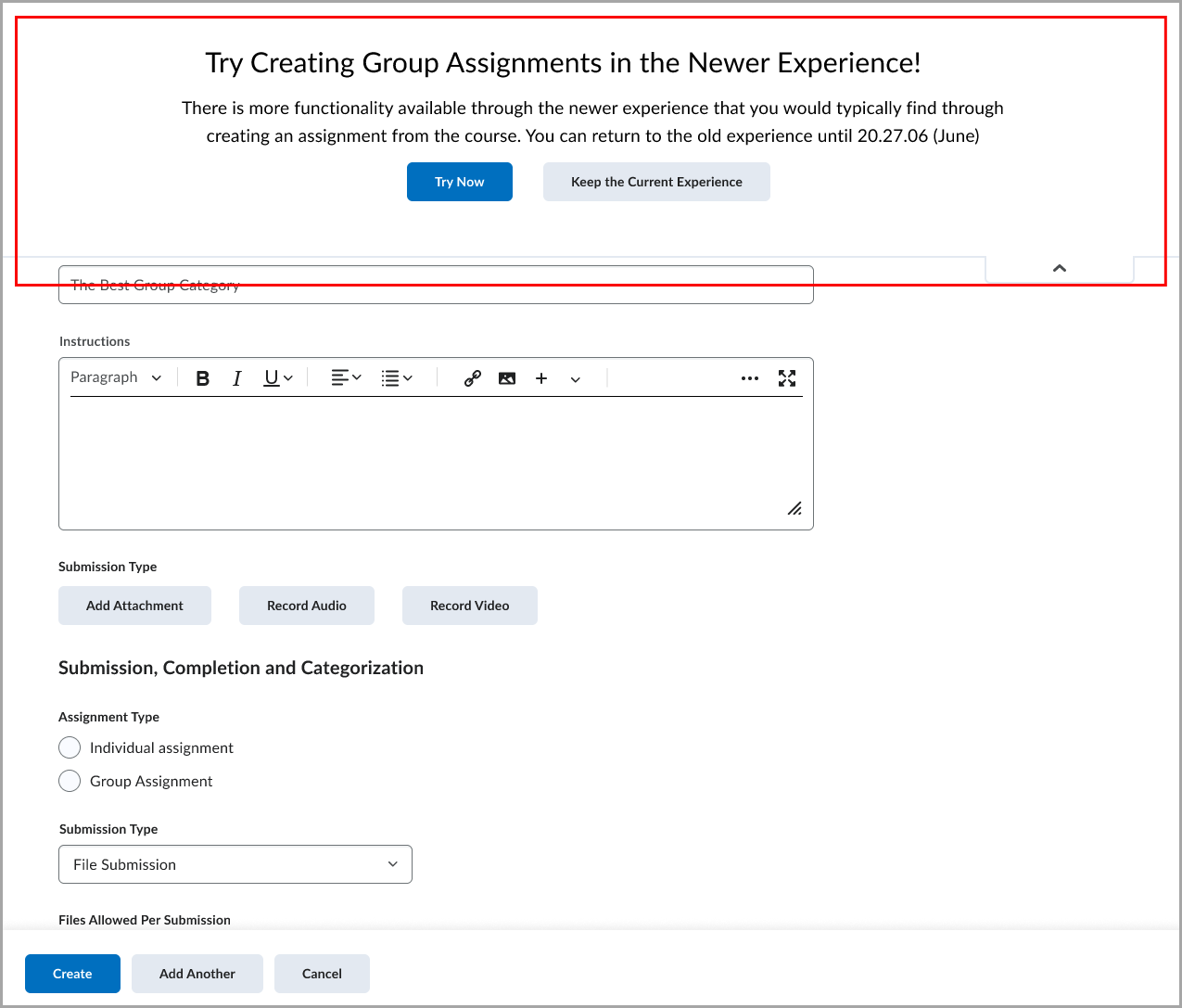
Figure: A dropdown in the legacy assignment creation page provides access to the new Group Assignment workflow in the new assignment creation page.
Assignments – Improved error messages when uploading unsupported file types | Updated
Avenue to Learn now provides clearer and more consistent error messages when learners attempt to submit file assignments using unsupported file types. These improvements help learners understand which file types are allowed and make it easier to correct submission issues.
The updated messaging appears across assignment submission workflows and Activity Display, ensuring learners receive appropriate guidance based on the context of their submission.
Updated error messages for file submissions
When a learner attempts to upload a file from Google Drive, One Drive or Locker with a restricted or unsupported file extension, Avenue to Learn now displays more specific messages depending on the number of restricted file types configured for the assignment.
Assignment submission page
- If fewer than seven file types are restricted, learners see a message listing the allowed file extensions, such as:
Your work could not be submitted. You can only submit files with the following file extensions: PDF, DOCX, or TXT. - If seven or more file types are restricted, learners see a simplified message:
Your work could not be submitted. You can only submit files with allowed file extensions.
Legacy content assignment submission page
- If fewer than seven file types are restricted, learners see a message listing the allowed file extensions.
- If seven or more file types are restricted, learners see a simplified message indicating that only allowed file extensions can be submitted.
For file assignments, learners can now also see the list of Allowed File Extensions. This list previously appeared only for File and Text assignments and is now available for File assignments as well.
Improved feedback in Activity Display
In Activity Display, learners now receive clearer visual indicators when uploaded files are not allowed:
- If a learner uploads files with unsupported extensions, Activity Display identifies which uploaded files are not allowed.
- If a file has no extension or the file type cannot be detected, Activity Display notifies the learner that the file type is unsupported.
- If five or more files with unsupported extensions are uploaded, Activity Display displays a consolidated message indicating that multiple files are not allowed.
Improved validation when configuring Custom File Types in Assignment Creation
When instructors set Allowable File Extensions to Custom File Types during assignment creation, Avenue to Learn now requires at least one file extension to be entered before the assignment can be saved.
If the field is left blank, Avenue to Learn displays a clear inline error message and prevents the assignment from being saved. This improvement helps instructors avoid invalid assignment configurations and reduces submission issues for learners.
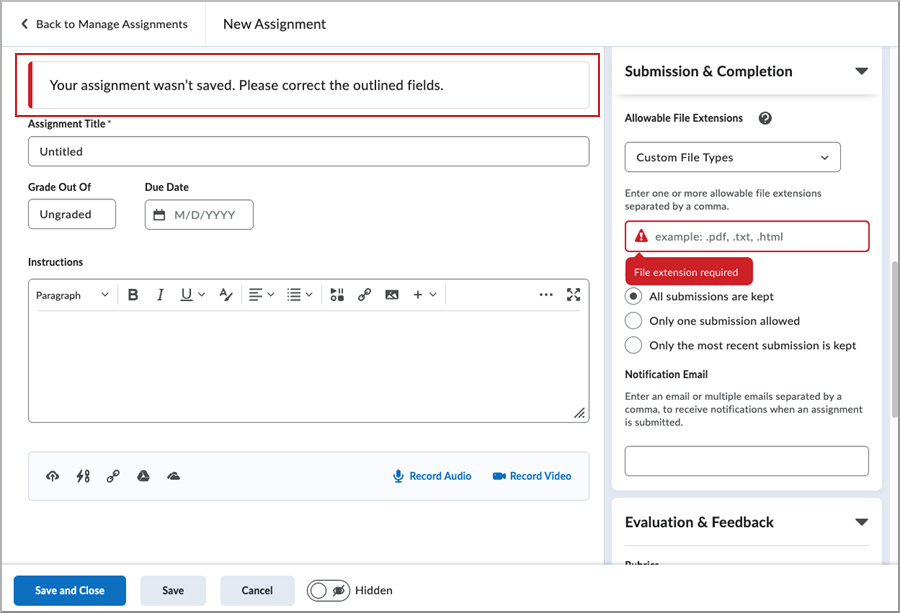
Figure: New Assignment page displaying a validation error when Custom File Types is selected without specifying at least one allowable file extension.
Class Progress – User progress for Content charts now loads asynchronously | Updated
The completion progress bars for the Content Completed and Content Visited charts now load asynchronously as instructors scroll down the Class Progress page. Progress details appear for each user as they come into view, allowing the page to continue loading smoothly regardless of the number of users or content objects being calculated.
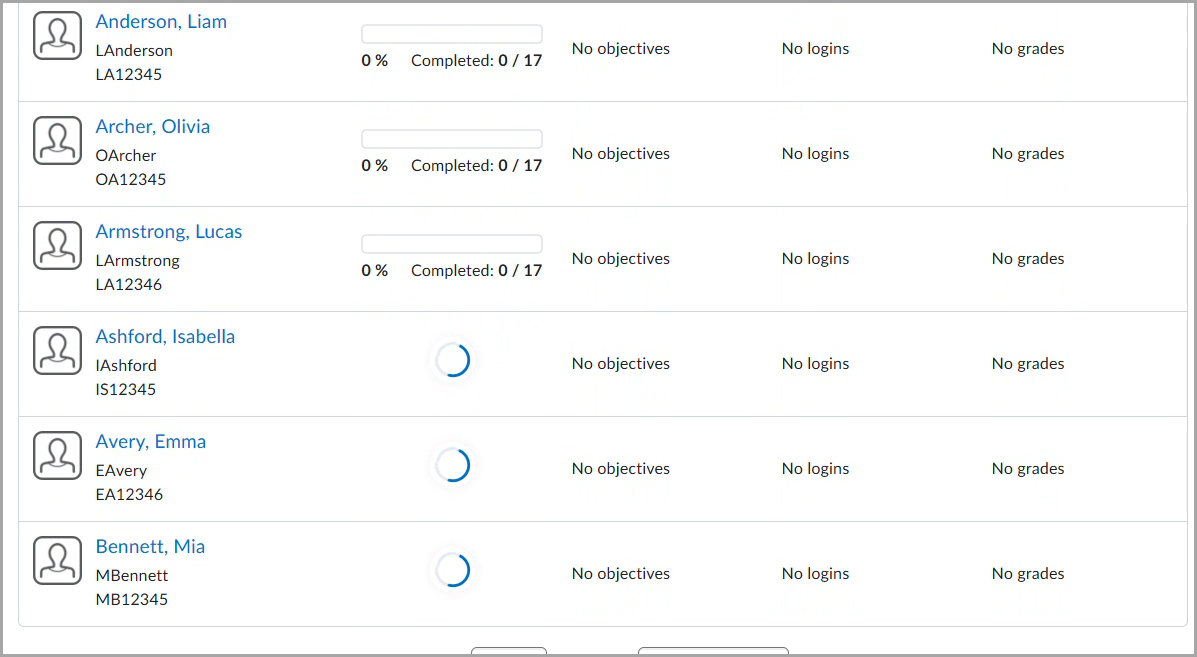
Figure: Completion progress bar charts load asynchronously.
Previously, courses with a large number of users or content objects could experience page timeouts when viewing the Content Completed or Content Visited columns in Class Progress.
Groups – Improved filters by groups and sections | Updated
With this release, user filters across multiple tools are updated to display Groups and Sections in separate dropdowns, improving navigation and scalability for courses with up to 1,000 groups per category.
Previously, the View By filter combined groups and sections into a single dropdown. In courses with many groups or sections, this resulted in long, difficult-to-navigate lists.
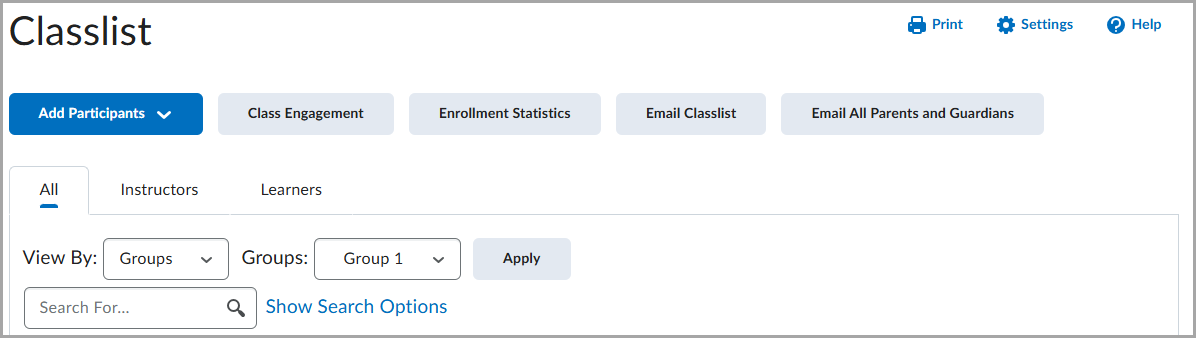
Figure: The previous View By filter shown in Classlist.
The updated filter is available in the following areas:
- Assignments:
- Filtering by users on the Manage Evaluators and Manage Special Access pages
- Filtering by users on the submissions page, and observed submissions page
- Attendance:
- Filtering by users when viewing and entering attendance data
- Class Progress:
- Filtering by users
- Classic Content:
- Filtering by users on the Completion Summary tab
- Filtering by users on the Content Reports pages
- Classlist:
- Filtering by users
- Emailing and filtering by users
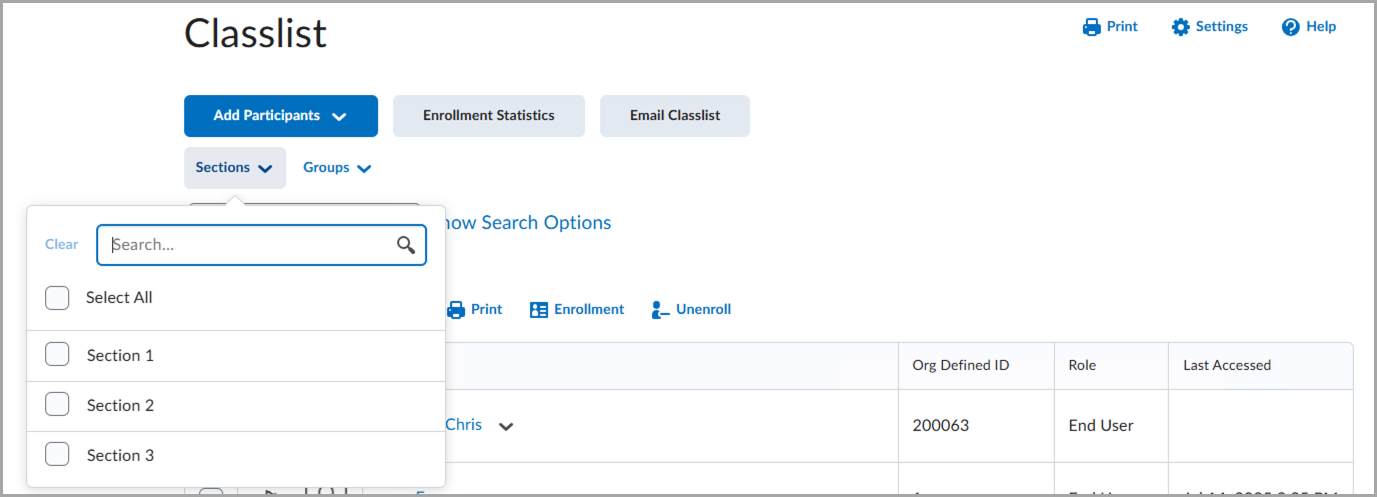 Figure: The redesigned filter shown in Classlist.
- Competencies:
- Filtering by users when grading an activity
- Filtering by users when viewing competencies, or viewing rubrics statistics
- Discussions:
- Filtering by users on the Statistics page
- Filtering by users when viewing Topics
- Filtering by users when assessing Topics
- Grades:
- Filtering by users on the Export Grades page
- Filtering by users on the Enter Grades pages
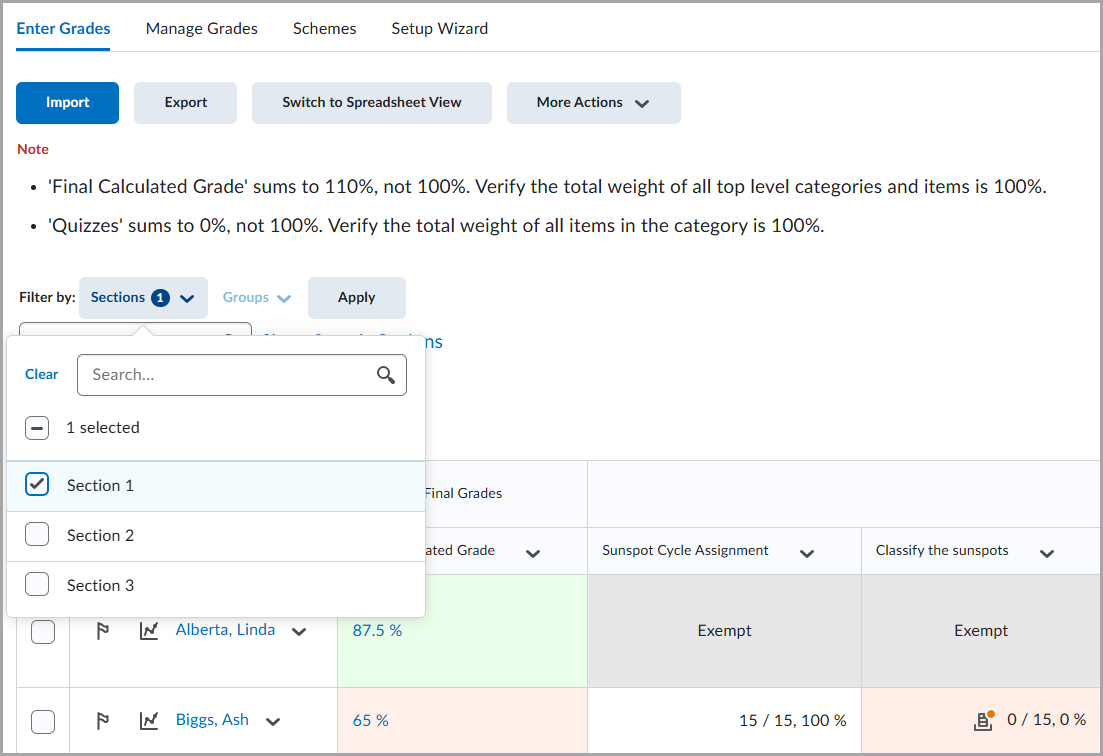 Figure: The redesigned filter shown in Enter Grades.
 - Filtering by users on the Statistics page
- Quizzes:
- Filtering by users on the Manage Special Access page
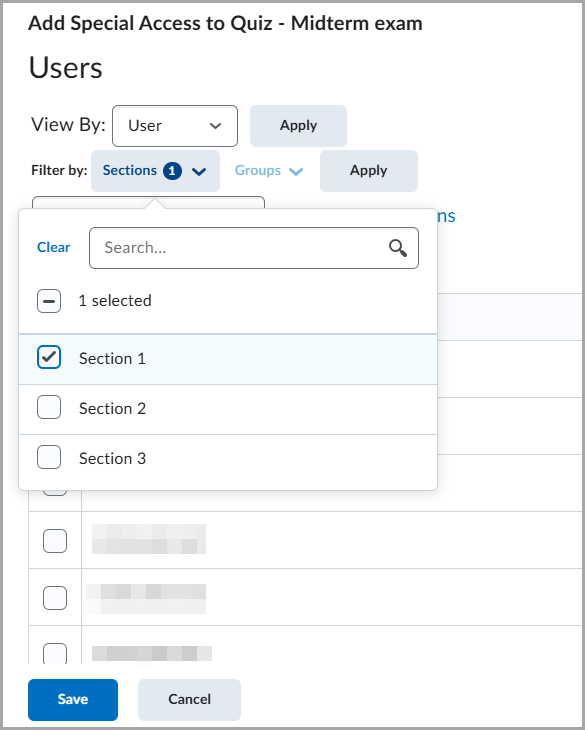 Figure: The redesigned filter shown in Manage Special Access.
 - Filtering by users on the Statistics page
- Filtering by users on the Manage Special Access page
- Surveys:
- Filtering by users on the Statistics page
Surveys – Improved experience for generating survey reports | Updated
Most survey reports are now generated asynchronously, and instructors receive a notification when the reports are ready for download.
Both CSV and Excel options are generated asynchronously, while the HTML option continues to be generated synchronously.
This update ensures that survey report generation aligns with the existing asynchronous experience for quiz reports.
The following report types now generate asynchronously:
- Summary Report
- Individual Attempts
This feature enhances the reliability of survey reporting, particularly for large datasets that previously risked browser freezing or timeouts during generation and export.
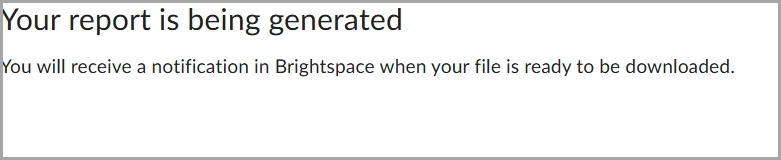
Figure: A confirmation message appears while Avenue to Learn generates the report and notifies instructors when the report is available for download.
Instructors are notified of completed reports via the Notifications icon, indicated by an orange dot on the top navigation bar  .
.
Quizzes – Single Session Quiz | New
Instructors can now require learners to complete a quiz within a single Avenue to Learn login session, helping maintain academic integrity. When this setting is enabled, learners cannot resume the quiz using another browser session. For example, if a learner starts a quiz on a laptop, they cannot continue the quiz on another device such as a smartphone or tablet.
Instructors can navigate to the Availability Dates & Conditions section while creating or editing a quiz and select Lock each attempt to a single login session.
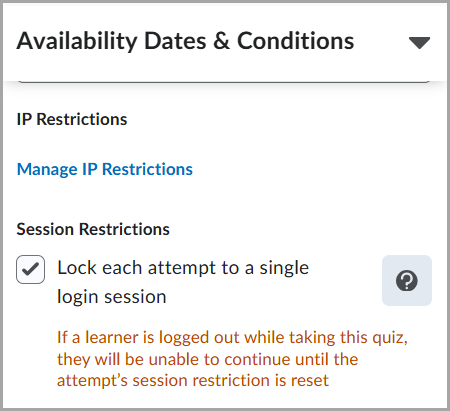
Figure: From the quiz’s Availability Dates & Conditions section, select Lock each attempt to a single login session to restrict attempts to one active session.
 |
Note: This setting only restricts access to the quiz. It does not prevent learners from having multiple active sessions in Avenue to Learn. |
 |
If you wish to use this for communication to your students, when leveraging this option:
Important, for students: You may be required to complete certain quizzes within a single Avenue to Learn login session. When this setting is enabled by your instructor, you must finish the quiz in the same browser session where you started it. For example, if you begin a quiz on your laptop, you won’t be able to continue it on another device such as a smartphone or tablet. On the Quiz List page, a key icon This restriction applies only to the quiz itself. You can still have multiple active Avenue to Learn sessions for other tasks. |
 indicates that a quiz is session restricted.
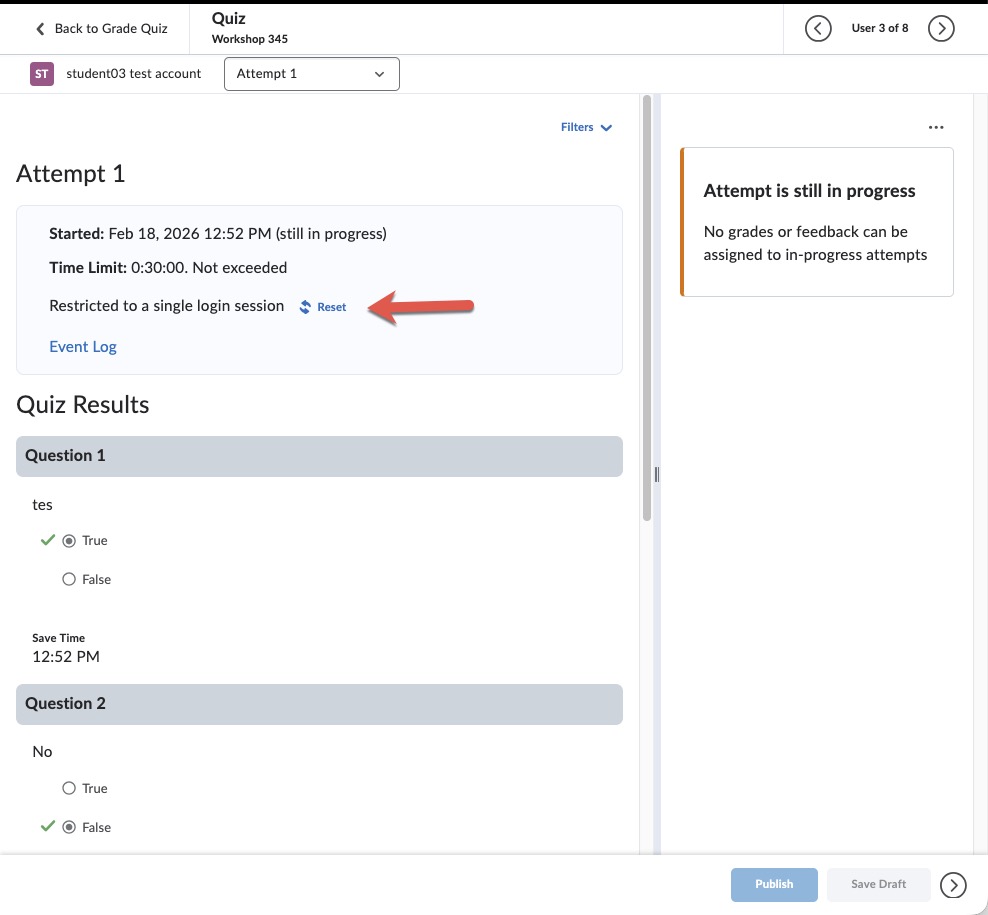
If you need to manually reset the restriction for students to continue their attempt, if more than one session for the quiz was started – go to manually grade the quiz, and click on the users’ attempt:
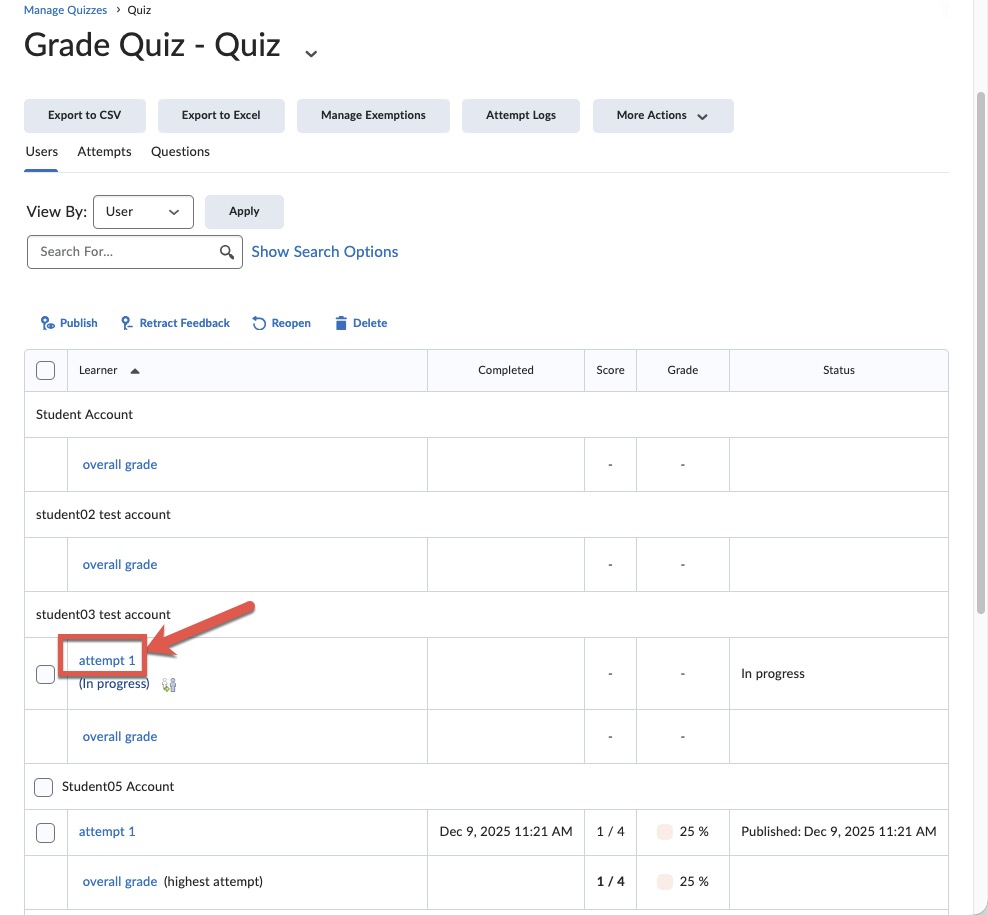
Then select reset to allow the student to continue their active quiz session: